



PIPELINE MODE USAGE
3.1 - CONFIGURING AND RUNNING PIPELINES
The pipeline mode of “RNASeq” is a pipeline configuration system that let the user to execute all the steps of a pipeline, automatically one after the other. To perform a RNA-seq analysis using the pipeline mode, the user must access the RNAseq protocols tab of the Top menu and then select the option Pipeline Mode. Then a first pipeline interface will appear summarizing all currently available pipelines based on Command Line Interface (CLI) software offered by the Pipeline mode of “RNAseq”.
To perform an analysis using the pipeline mode, please go to [ Transcripts Protocols → Pipeline Mode ] and follow Fig. 30
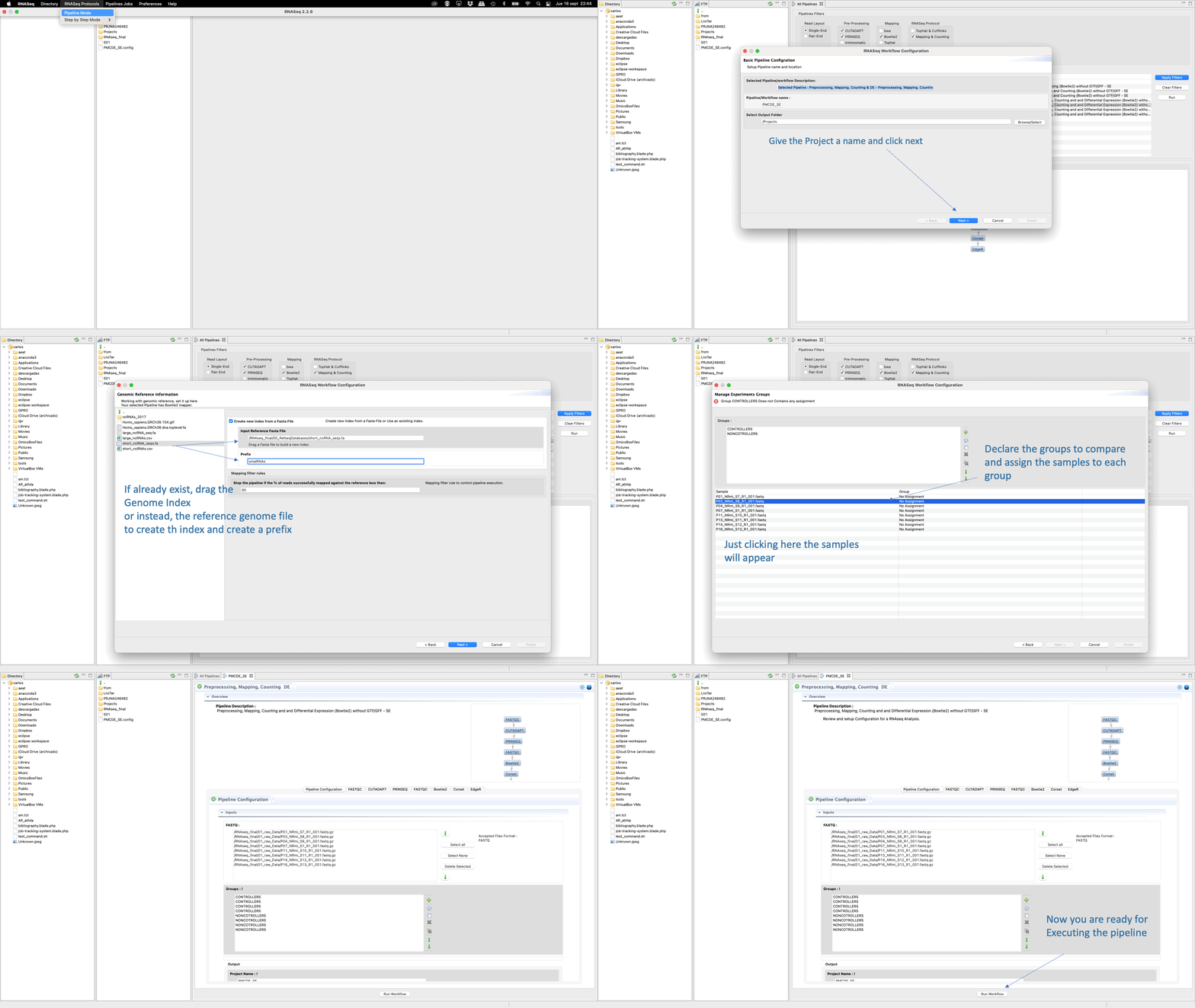
Figure 30: Example of configuration and execution for a RNA-seq analysis using the pipeline mode.
Using the pipeline mode you only need to select one pipeline from the list and then configure the experiment going to a set of nested interfaces to;
- upload any input data or material needed by the pipeline (i.e. fastq files, reference genome or GTF/GFF file).
- declare the outputs
- declare the experiment design (this is, groups to compare, samples belonging to each group, replicates etc)
- configure the parameters and options of each CLI tool used in each step (for example, “FastQC” for quality analysis, “Trimmomatic” for preprocessing, “Tophat” for mapping, “Cufflinks” for transcriptome assembly and “Cuffdiff” for differential gene expression).
- finally run the pipeline .